
Stop fearing red text.
Every programmer gets errors. ScriptOnX helps you understand them, so you improve faster and rely less on copying.
From your first program to your next concept.
This is what learning with ScriptOnX looks like. The screens are the real desktop beta; the last two steps are planned.
Your first program
BetaCheck your setup first.
Pick Python, C, C++, Java and JavaScript. ScriptOnX's learning environments check that the compiler or interpreter is installed and working before you start. One-click installs are in testing.
Write
BetaWrite real code.
A full code editor with syntax highlighting, line numbers and your project's files, with help one click away.
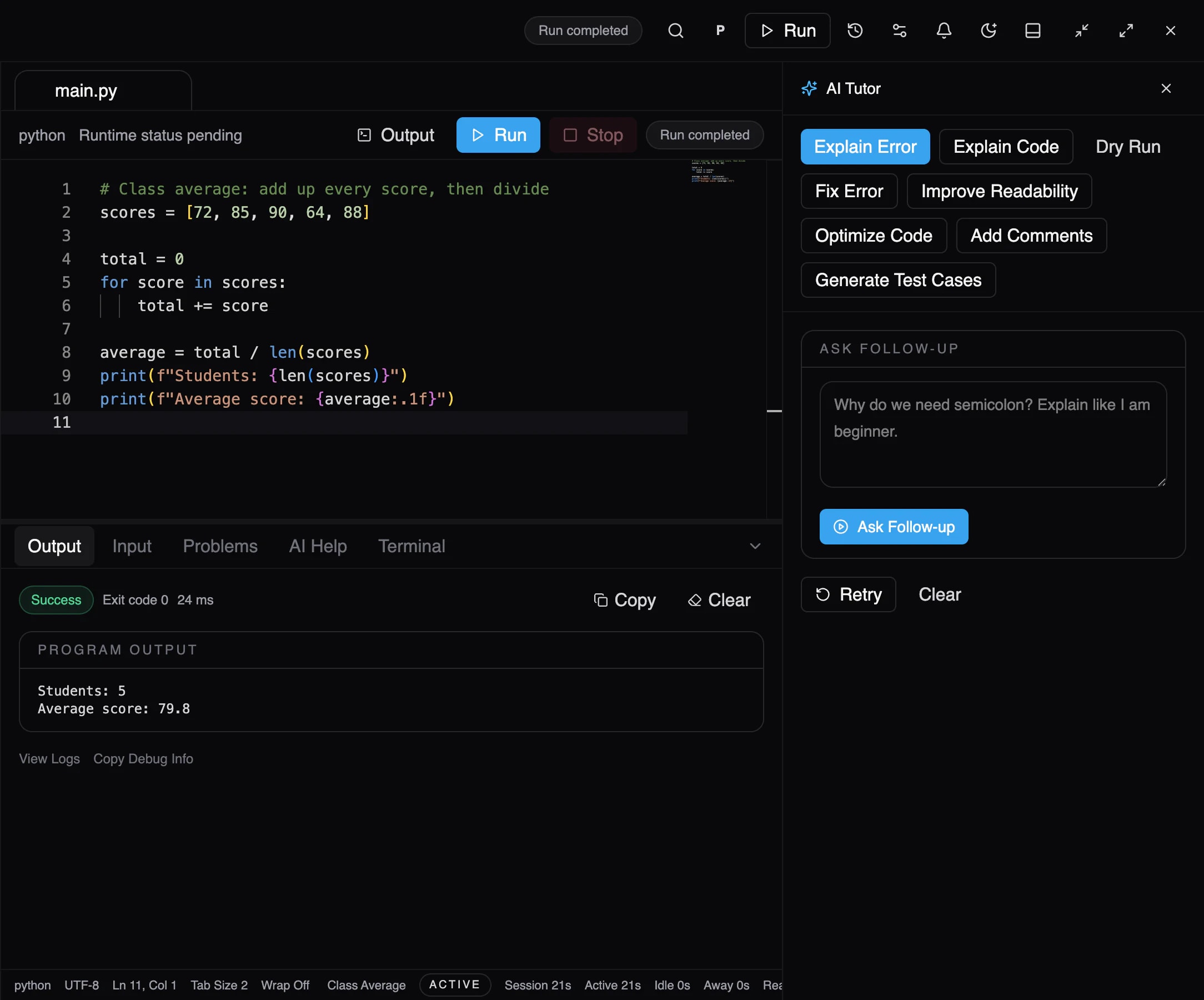
Product screenshot · BetaThe ScriptOnX workspace. Run
BetaRun it for real.
Your program runs on your own computer, on the real compiler or interpreter. You see the actual output and exit code, never a simulation.
Make a mistake
BetaGet it wrong. That's the point.
When it fails, the error appears exactly as reported, and the line that failed is marked. Every programmer sees this; now you'll learn to read it.
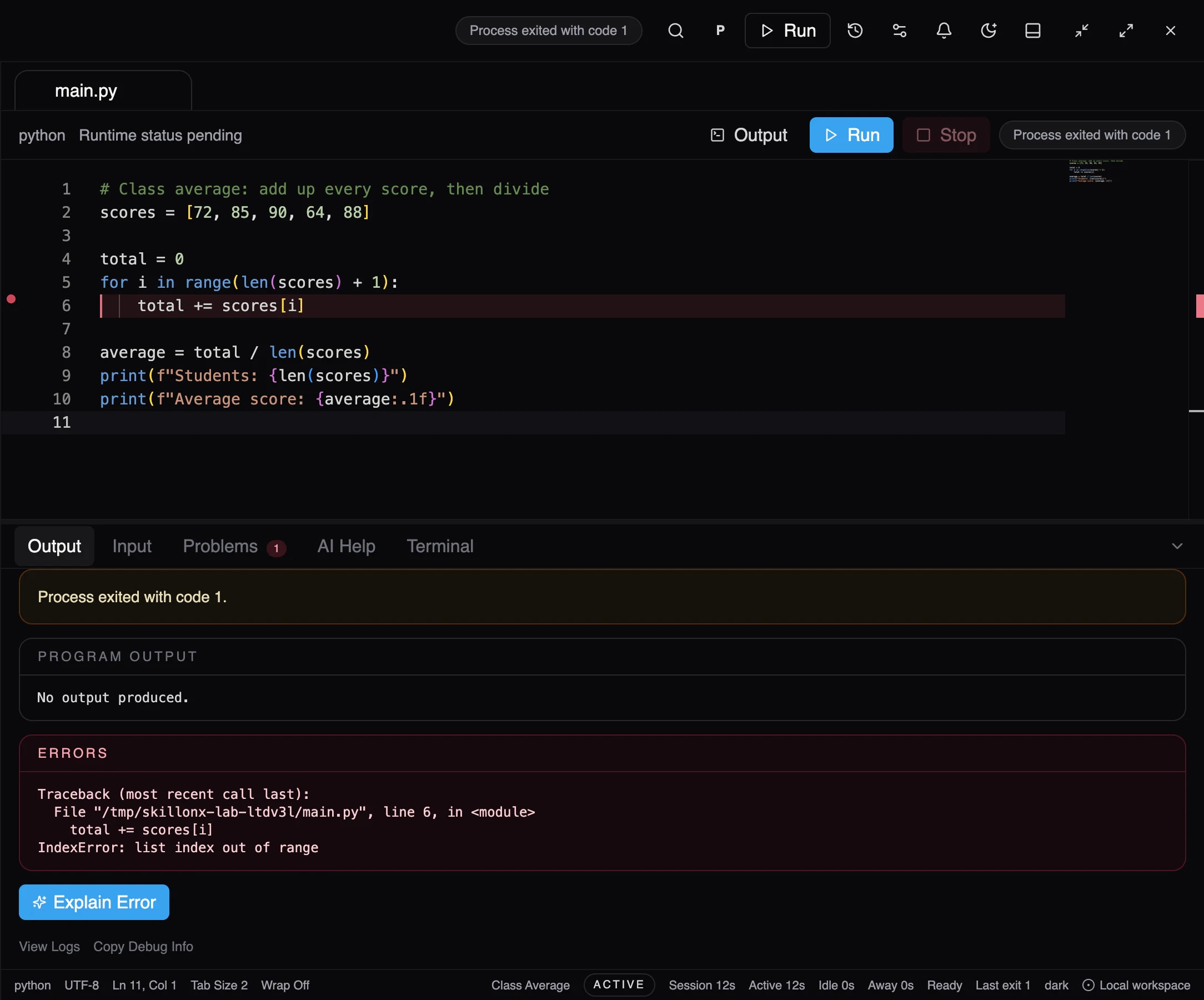
Product screenshot · BetaThe run fails. The line and the error are marked. Understand
BetaUnderstand what happened.
Explain Error tells you what went wrong, why it happened, and the concept behind it. Common errors are explained even offline.
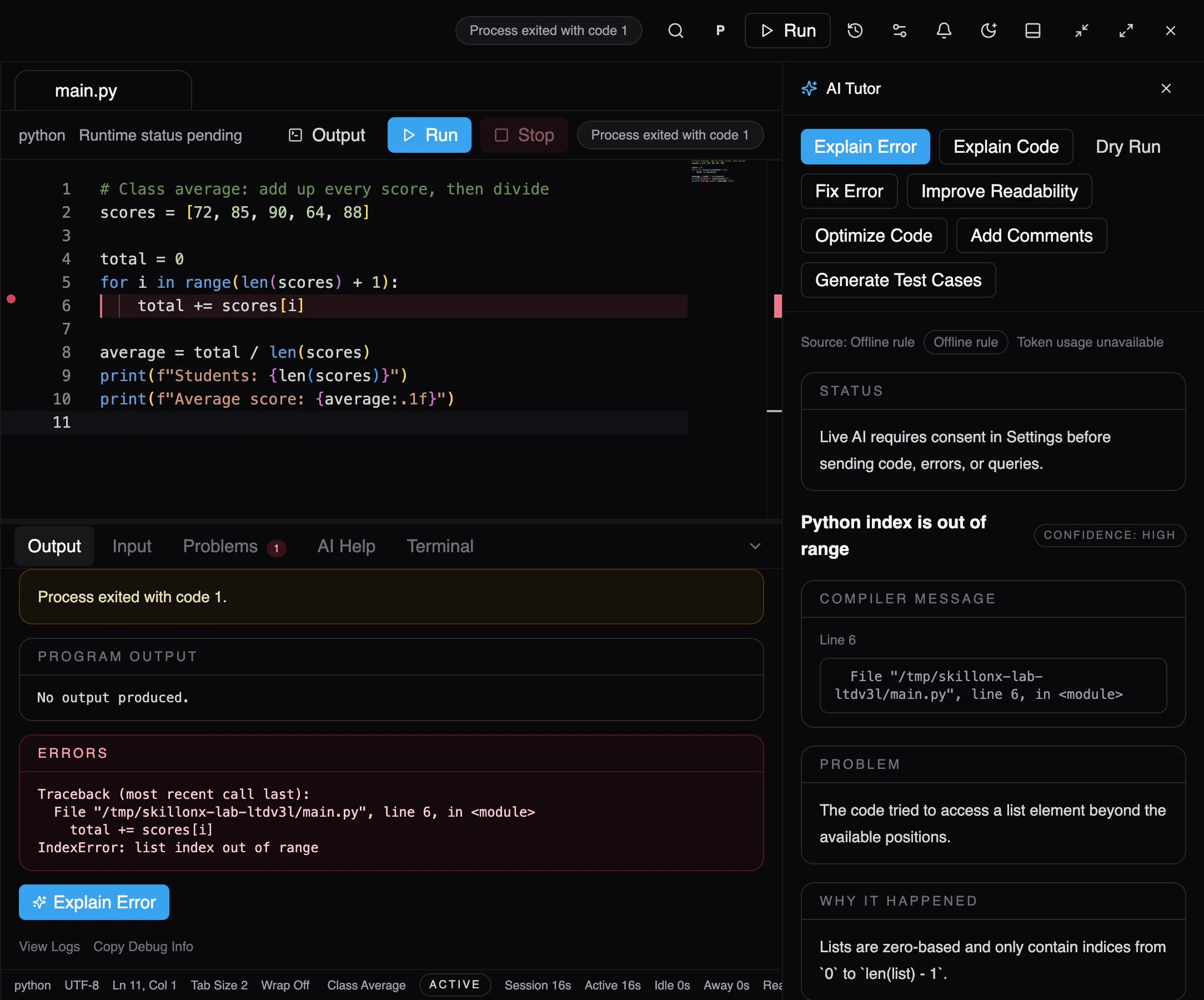
Product screenshot · BetaA failed run and its explanation, side by side. Fix
BetaFix it yourself, then prove it.
Now that you know why, you change the code and run it again. If you ask for a suggested fix, you see it beside your code and decide.
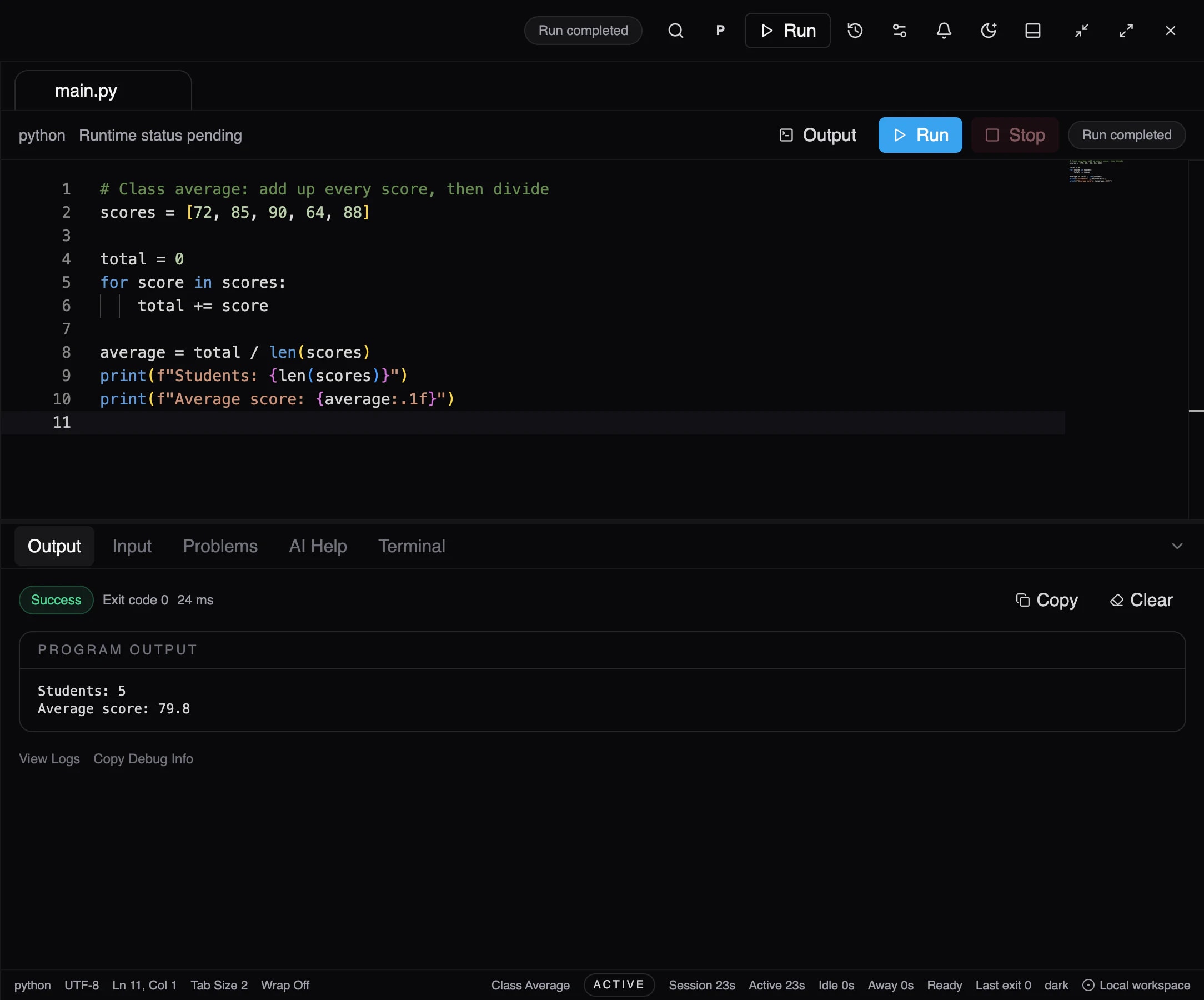
Product screenshot · BetaThe corrected program runs successfully. Exercise
PlannedPractise the idea.
Short exercises with test cases on the same concept, so it sticks.
Practice library is planned. There's no screen to show yet, and we won't mock one up.Next concept
PlannedMove on with confidence.
Progress tracking that shows which concepts you've mastered and suggests what to learn next.
Progress & mastery is planned. There's no screen to show yet, and we won't mock one up.
Try the experience. Pick a mistake, run it, and ask why.
Three classic beginner mistakes. Nothing is compiled here: each run is pre-written to show how ScriptOnX turns a failure into an explanation.
names = ["Asha", "Ben", "Chen"]for i in range(1, len(names) + 1): print("Hello,", names[i])Output
Press Run to execute greet.py.
Run the program first. When something goes wrong, ScriptOnX can explain it.
- Code
- Run
- Error
- Explain
- Hint
In the ScriptOnX beta, the same steps happen on real compilers and interpreters. Explanations come from built-in rules or, when switched on, an AI provider. A separate hint-only level is planned; today, learners can ask for a hint as a follow-up question.
Your activity, in your own reports. Stored on your computer.
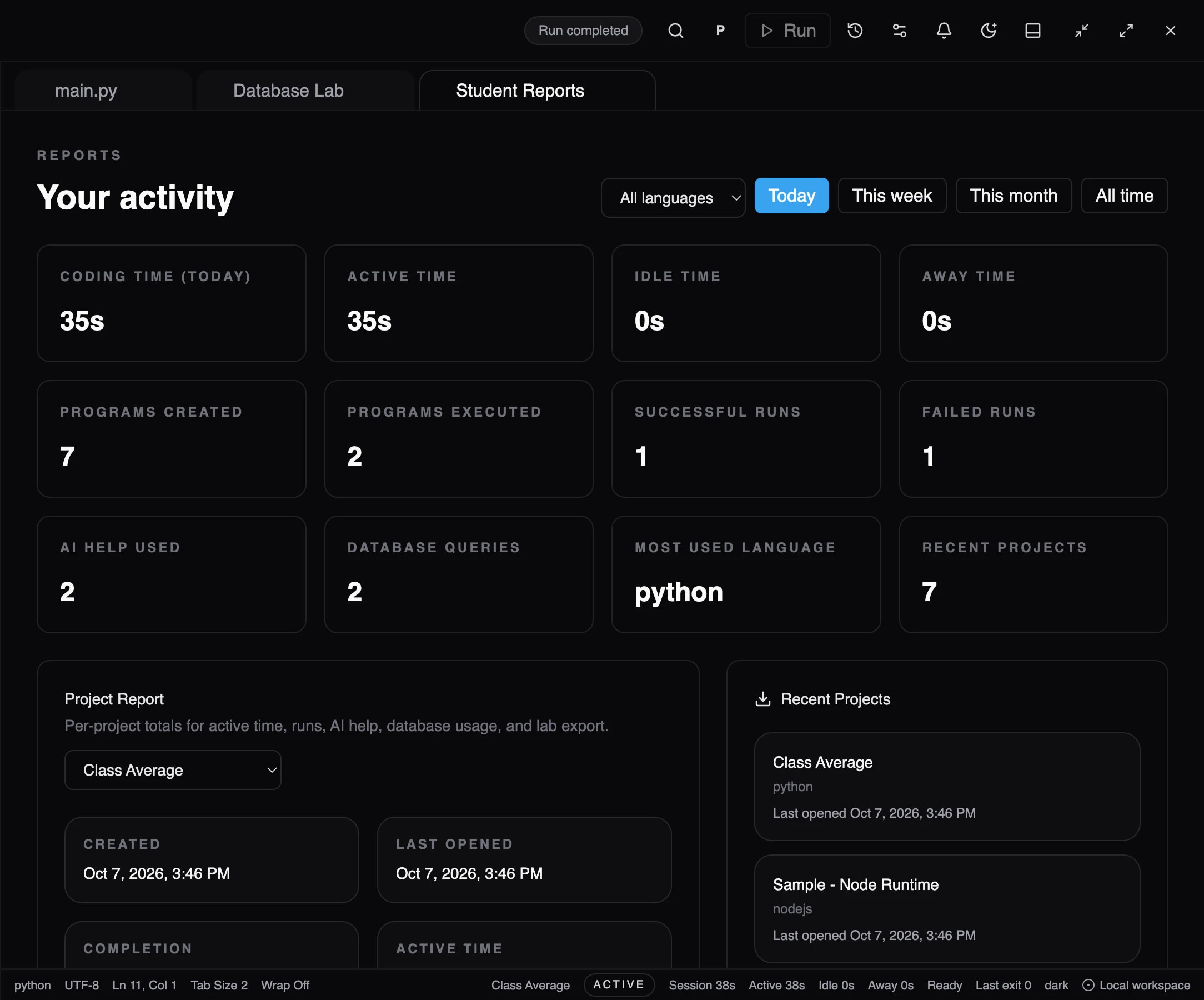
Time and effort
Coding, active, idle and away time, today or over a week, month or all time.
Runs and errors
Programs created and executed, successful and failed runs, AI help used and database queries.
Per project
A report for each project, ready to export as a lab record.
- Screenshot from the desktop beta, using a demo profile.
Your next error is your next lesson.