
See where students struggle while they're learning.
ScriptOnX keeps students working through errors instead of around them. The tools for setting work, controlling AI help and seeing the class are planned, and being designed with programming faculty.
Four problems every lab knows. And where ScriptOnX stands on each.
The first labs go on installing compilers and fixing PATH settings.
Learning environments check each course's tools on every computer. One-click installs are in testing.
BetaStudents get stuck on an error and wait, or give up, without asking.
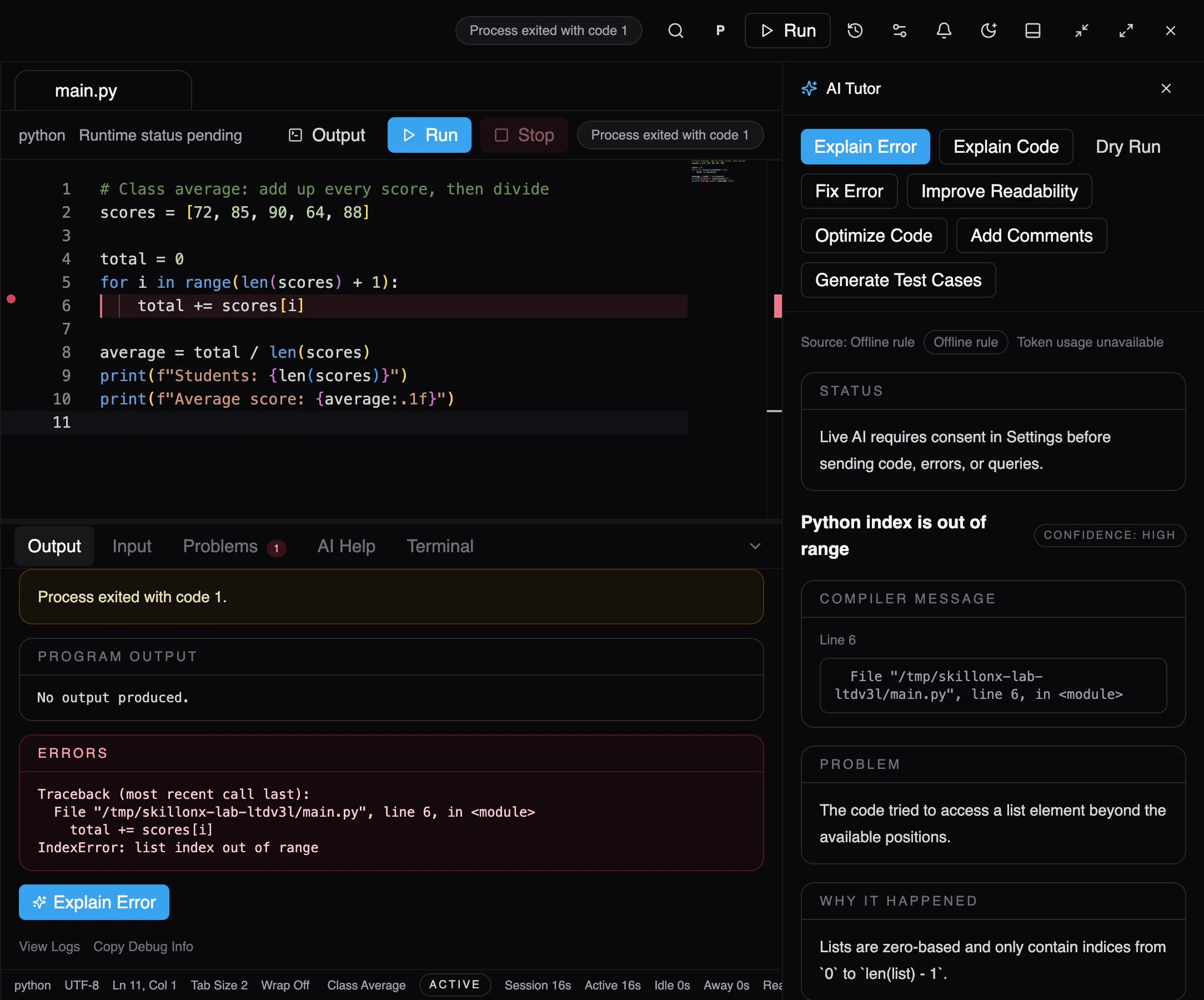
Explain Error answers the moment a run fails, beside the code.
BetaGeneric AI tools write the answer, and the learning is skipped.
AI help that explains first, with fixes the student must review and apply.
BetaYou find out who struggled when the assignment is marked.
Class-wide signals about who's stuck and on which errors, during the lab.
Planned
What your students can use today. In the desktop beta.
Real programs
Students run code on real compilers and interpreters, and read real error messages.
Explanations, not answers
Explain Error says what went wrong and why, and points to the concept behind it.
Reviewed fixes
Suggested fixes appear beside the student's code. Nothing changes until they apply it.
- Screenshot from the desktop beta, using demo data.
Planned tools. Clearly labelled, and shaped with faculty.
None of these are in the beta yet. If they matter to your lab, a demo is the best place to tell us how you'd use them.
Assignments
Faculty-set coding assignments with deadlines, attempts and submissions.
Practice library
Exercises with test cases across the curriculum.
Assistance levels
Faculty-set levels from Explain to Solve. The beta offers individual AI actions instead.
Learning analytics
Class-wide visibility into where students struggle.
Faculty tools
Exercises, test cases, AI controls and review.
Accounts & sign-in
Student, faculty and institution accounts. The beta uses a local learner profile.
AI shouldn't do your homework. It should help you understand it.
Five levels, from one clue to a full solution, with instructors choosing which are allowed. Explain, Review and Solve exist in the beta as separate AI actions. Hint, Guide and instructor controls are planned. The settings panel is a concept preview.
Student → “Give me one clue.”
scores = [72, 88, 95]for i in range(4): print(scores[i])Compare how far the loop counts with how many items the list holds.
Status today: Not a separate level yet. Learners can ask for a hint in the AI Tutor's follow-up box.
What Hint reveals
- Diagnosis
- A clue
- Reasoning
- Approach review
- Working code
Instructor settings
Lab 4 · Arrays & loops
- Explain
- Hint
- Guide
- Review
- Solve
Concept preview. Toggle a level, then pick it on the left.
Learning analytics
CS101 · Lab 4 · 40 students
Concept · demo dataStruggle map — one square per student
- Struggling with Loops18/40
- Struggling with Arrays12/40
- Struggling with Strings8/40
- Struggling with Functions5/40
Exercise completion
Average attempts 2.8
Most common error
IndexError
- Index out of bounds38%
- Off-by-one logic24%
- Type mismatch17%
- Missing return9%
Planned A concept of planned class analytics, with invented figures. Not in the beta.
Shape ScriptOnX for your lab.